 natbox
Blog / SSH report
Why some servers booted without SSH, and how we fixed it
14 November 2026 · Update · By Mohammad AlSaraf

On the afternoon of 14 November 2026 a customer opened a ticket: SSH to their new server answered "Connection refused", every time. The server was running and its network was fine, but nothing was listening on port 22. It wasn't anything they did. It was a mistake in our own Ubuntu 24.04 image, and it had quietly hit other servers too. This is what went wrong, why it only happened sometimes, and what we changed.
What customers saw
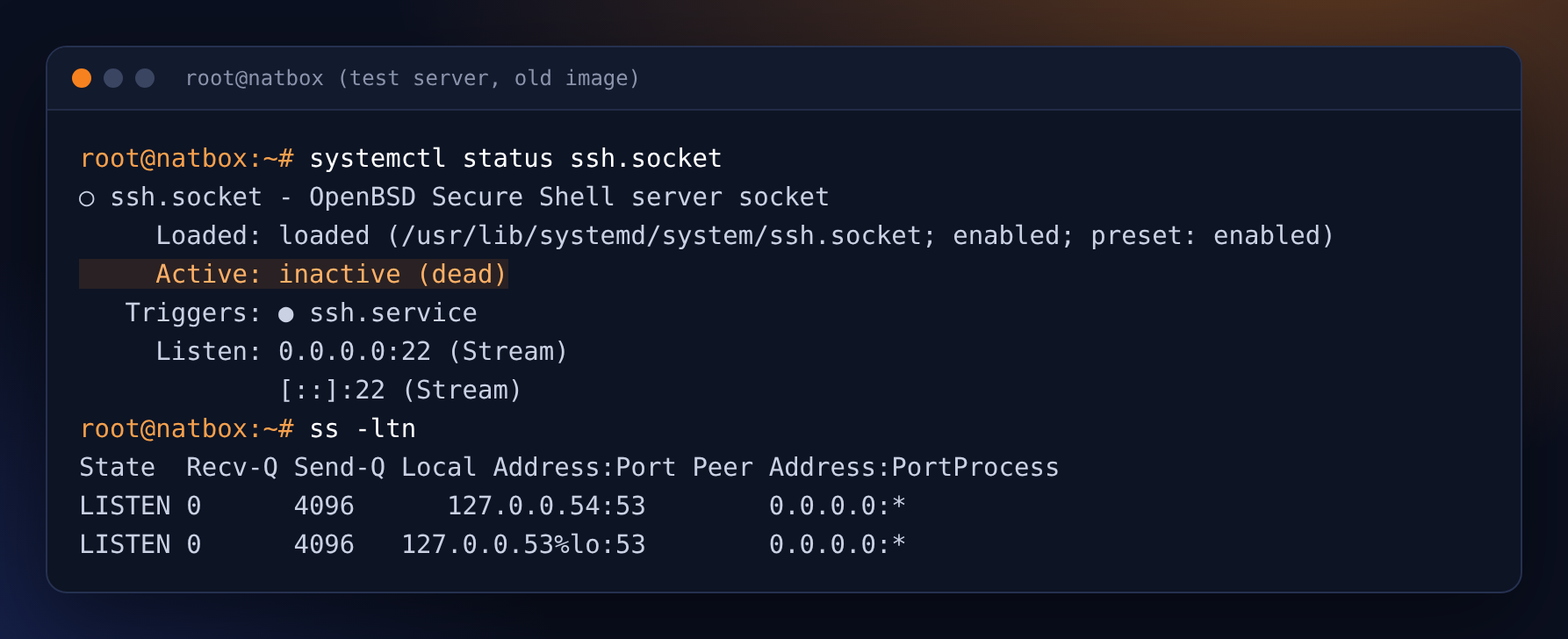
After a restart, some Ubuntu 24.04 servers came back with SSH switched off. The server itself kept running, and websites, VPNs and everything else on it kept working. Only logging in over SSH failed. The Console tab in the client area still worked, because it doesn't use SSH.
Most of the affected servers lost SSH during our scheduled maintenance restarts on the night of 13 to 14 November. One new server was affected from the moment it was created. When we checked port 22 on every server from our hosts, 18 of the 121 running Ubuntu 24.04 servers didn't answer. Servers on Debian 12, AlmaLinux 9 and Alpine were not affected.
Why it happened
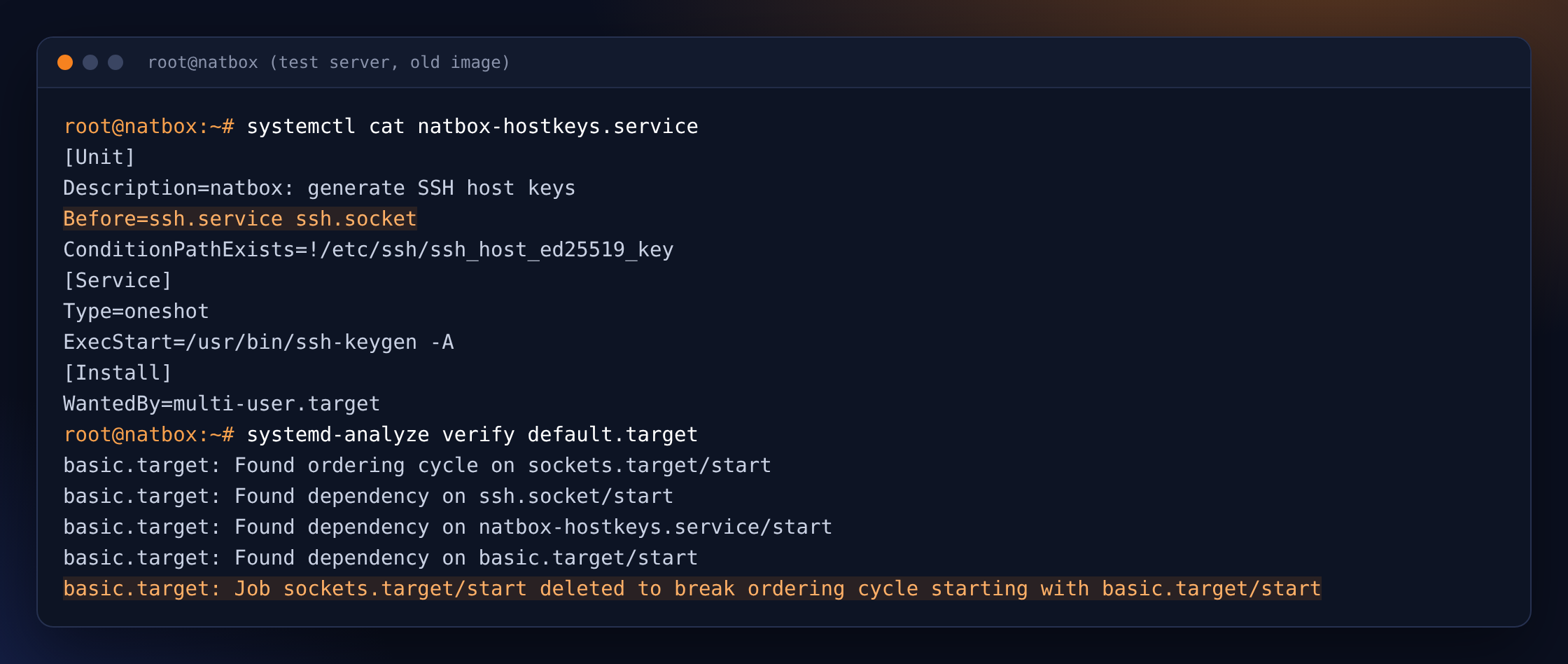
Every natbox server starts from our own image. On first boot the server has to create its own SSH host keys, the keys that prove to your computer that it's talking to your server. Debian and Ubuntu don't create them by themselves on first boot, so we added a small startup step, natbox-hostkeys, that creates the keys before SSH starts.
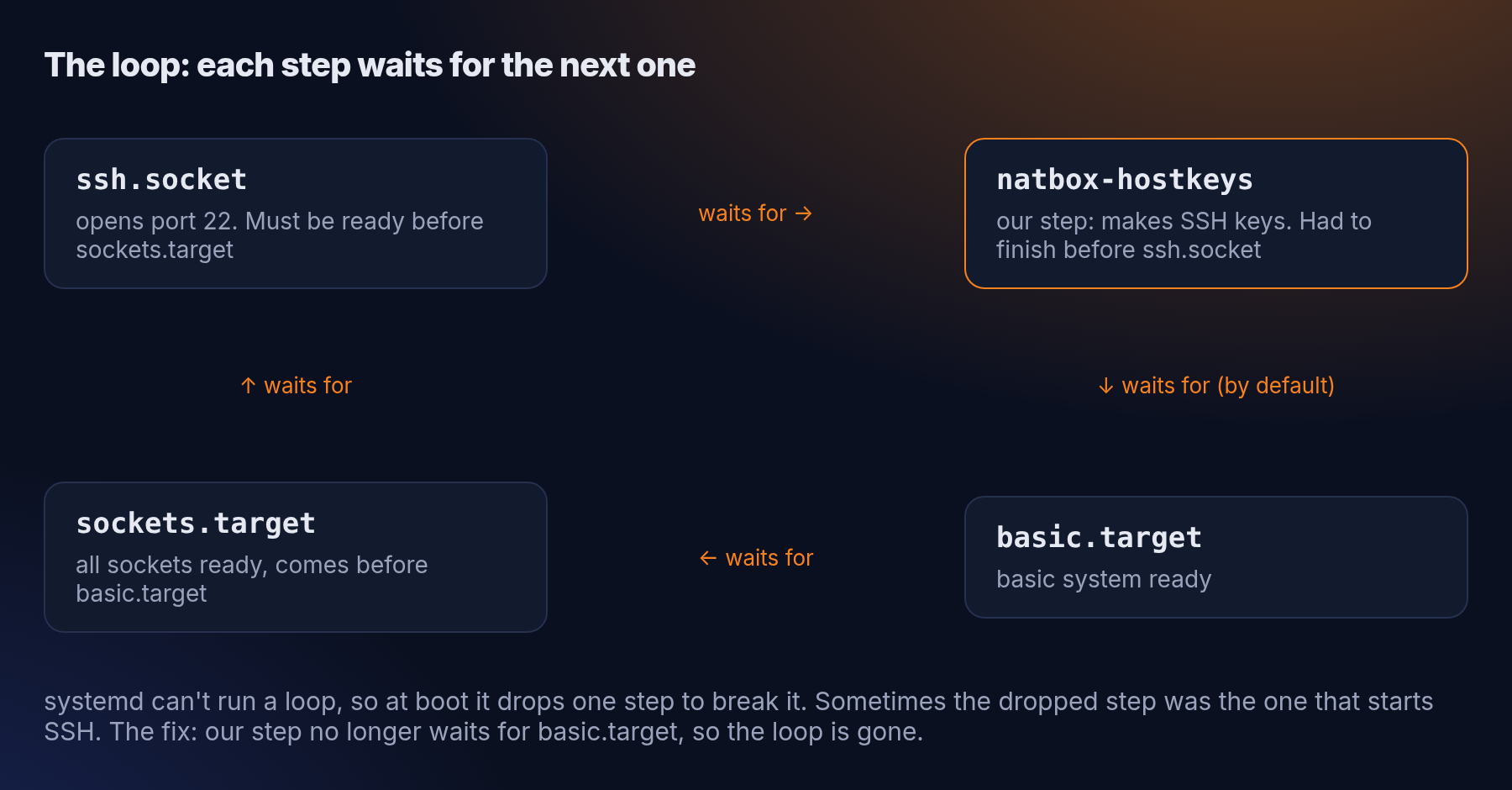
The mistake was in how that step was ordered. We told systemd (the program that starts everything at boot) that our step must finish before SSH opens port 22. But systemd also adds default rules to every startup step, and one of them says it waits until the basic system is ready. On Ubuntu 24.04, SSH is started by a socket (ssh.socket), and sockets must be ready before the basic system counts as ready. Put together, that's a loop: SSH waits for our step, our step waits for the basic system, and the basic system waits for SSH.
systemd can't start a loop, so at boot it breaks it by dropping one of the steps. Which one it drops depends on timing, and that's why the problem was random. Usually the server came up fine. Sometimes the dropped step was the one that opens port 22, and the server booted without SSH.
Why we didn't catch it sooner
When we test a new image, we create servers and log in to them, and that worked. The problem only showed up now and then: when we reproduced it afterwards on a test server, SSH was off on 1 boot out of 10 in one run and 1 out of 4 in another. A handful of test logins could easily all succeed, and they did. Our checks after the maintenance restarts confirmed that every server was running again, but not that SSH answered on each one.
What we fixed
The fix is small: our step now starts early, as soon as the disk is ready, instead of waiting for the basic system. That removes the loop, and SSH still never starts before the keys exist.
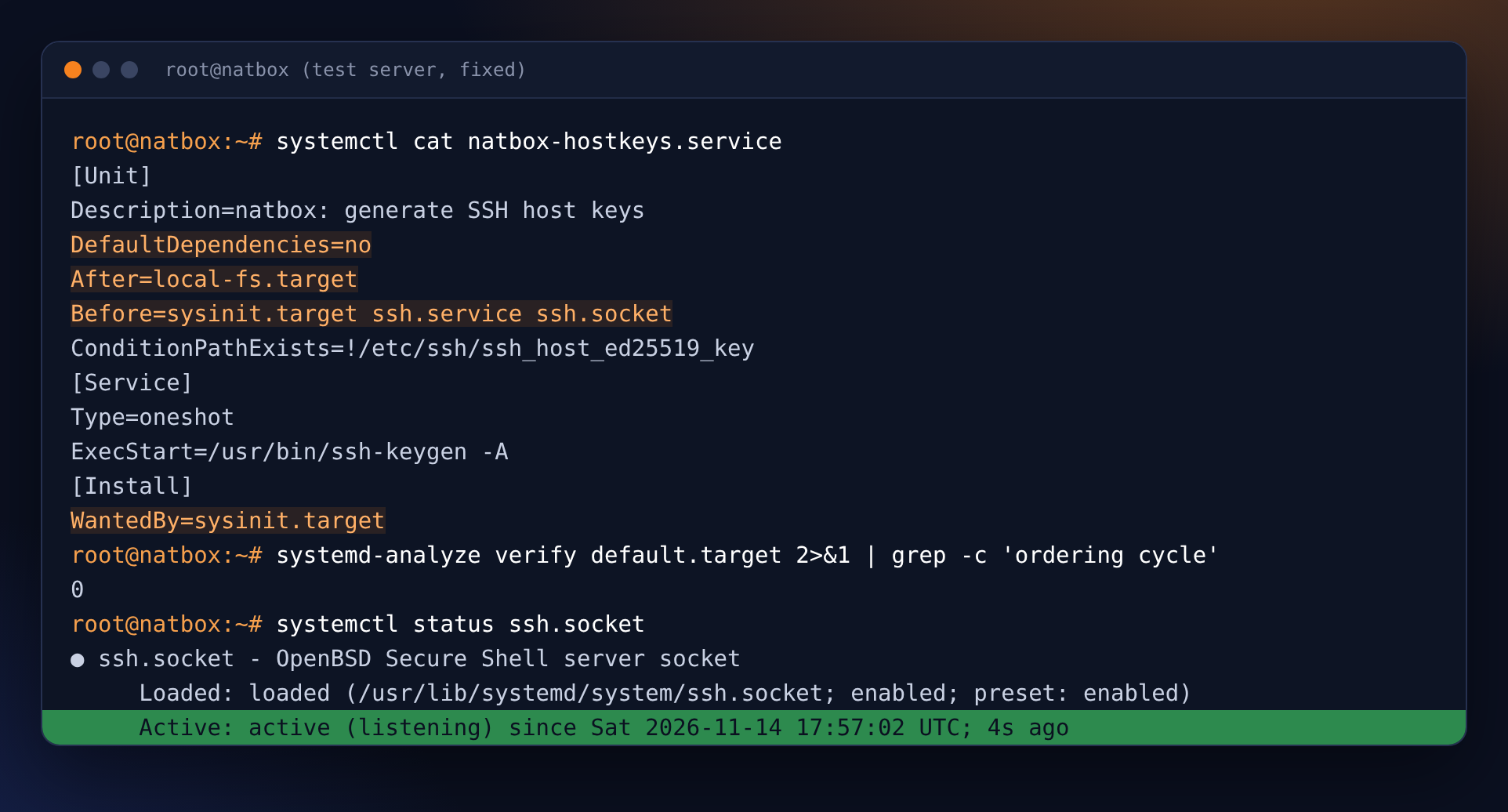
- Tested first. With the fix, SSH came up on all 32 of our test boots, including boots where the keys had to be created from scratch, and systemd found no loop.
- Every server. We put the corrected file on every Ubuntu and Debian server and started SSH on the ones where it was off. Nothing else on any server was changed. SSH was back on every affected server by 17:32 UTC, under an hour after the ticket, and afterwards port 22 answered on every running natbox server.
- New servers and reinstalls. The Ubuntu 24.04 and Debian 12 images on all three hosts now have the fixed step, and so does the script we build new images with, so the mistake can't come back with the next image update.
- Customers told. We answered the ticket and emailed the paying customers whose servers were affected.
If you're ever locked out
The customer who reported this had already got back in on their own before we finished: they opened the Console tab in the client area and pressed Repair access, which turns off firewall rules, resets the SSH login settings and restarts SSH. That works whenever SSH stops answering, whatever the cause. See Secure your server in the docs.
In short
- A wrong startup order in our Ubuntu 24.04 image sometimes left SSH off after a restart. 18 servers were affected. Their files and services were not.
- Fixed on every server and in every image on 14 November, within an hour of a customer reporting it.
- Sorry to everyone who couldn't log in. If anything still looks wrong on your server, write to support@natbox.io or open a ticket.
Get new tutorials in Telegram. Follow @natboxio: every new post, plus short server tips.
More from the blog: How much do natbox servers really use?, Keeping natbox clean: our first abuse and fraud report, We made disk writes on natbox over 100 times faster. Here's the trade-off. RSS feed.