 natbox
Blog / journalctl
Why did my app stop? Read your server's logs with journalctl
11 November 2026 · Tutorial · By Mohammad AlSaraf
Your bot went quiet or your site stopped answering. The reason is almost always written down in the system journal, and journalctl is how you read it. We will follow a real example: an app that refuses to start, twice for two different reasons.
About 10 minutes. For Debian, Ubuntu and AlmaLinux, which use systemd. Alpine does not use systemd, so this guide does not apply there.
1. Ask systemd what is wrong
If your app runs as a service (if not, here is how), start with systemctl status:
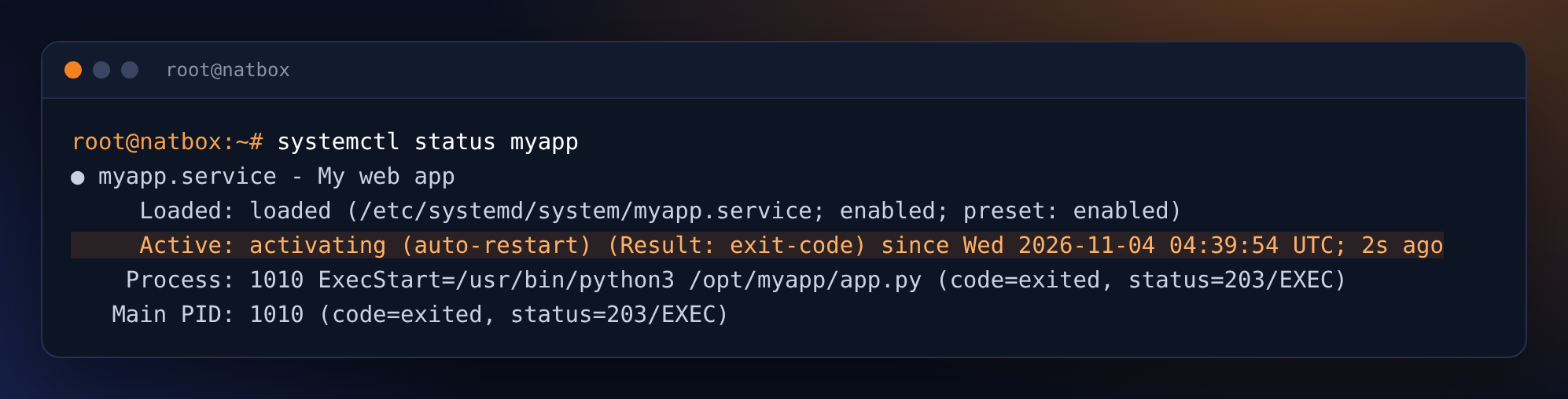
activating (auto-restart) means it crashes and systemd keeps trying again. The status line only says 203/EXEC. The journal says more.
2. Read the service's own log
journalctl -u myapp -n 5-u picks one service, -n 5 shows the last five lines.
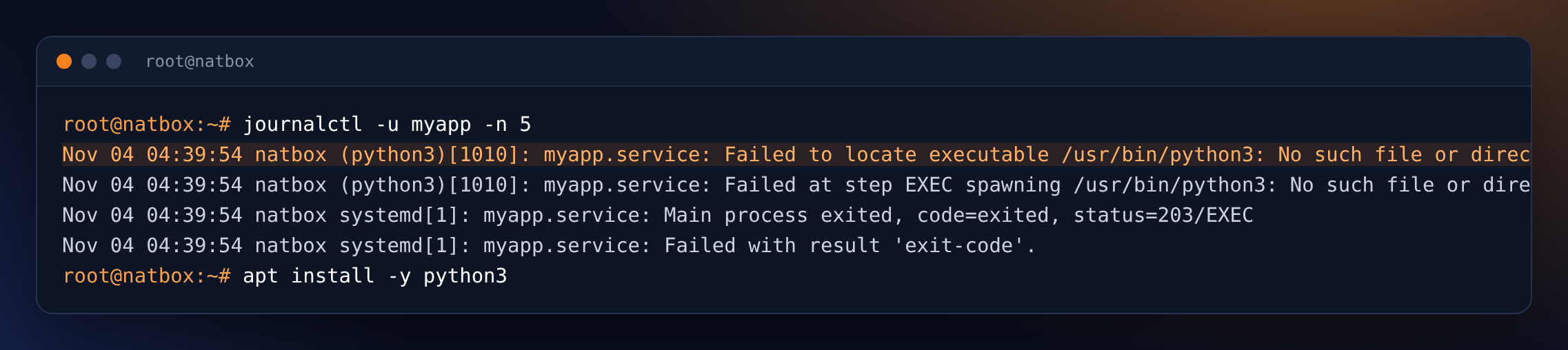
Clear enough: Python is not installed. apt install -y python3 fixes that, and systemd starts the app again by itself a few seconds later.
3. The next error: a Python traceback
It still crashes, but the journal now shows the app's own error output:
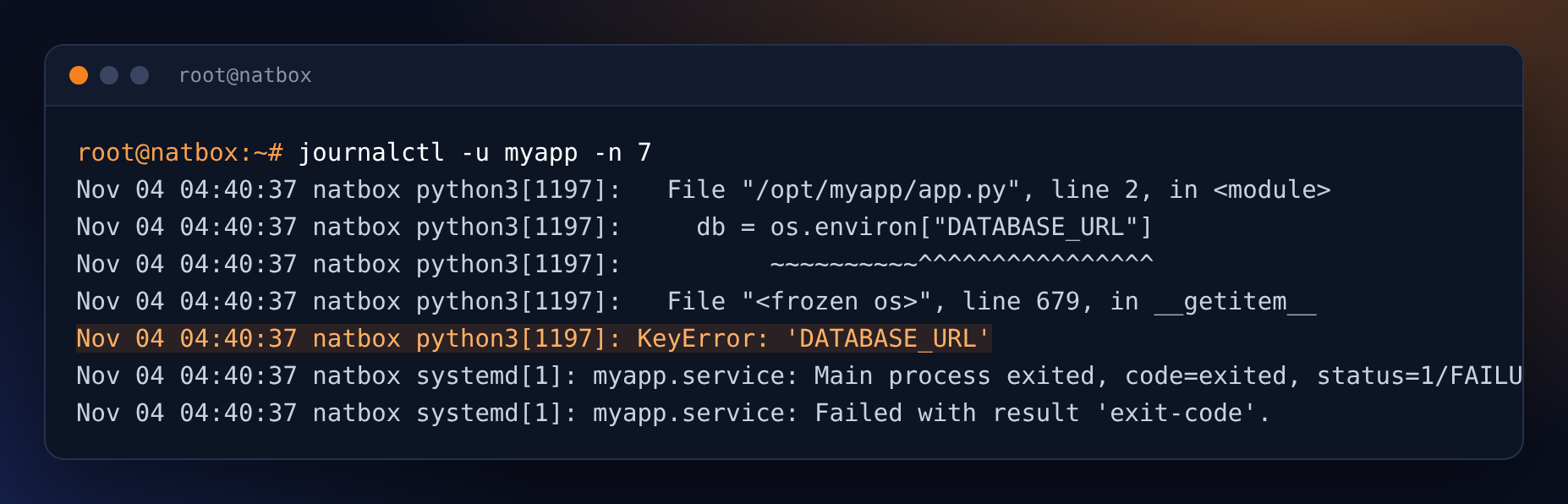
Read a traceback from the bottom up: KeyError: 'DATABASE_URL'. The app expects a setting that the service does not give it.
4. Fix it and check
systemctl edit myapp opens an empty override file. Add the setting there, save, then restart and look again:
[Service]
Environment=DATABASE_URL=postgresql://app:secret@localhost/app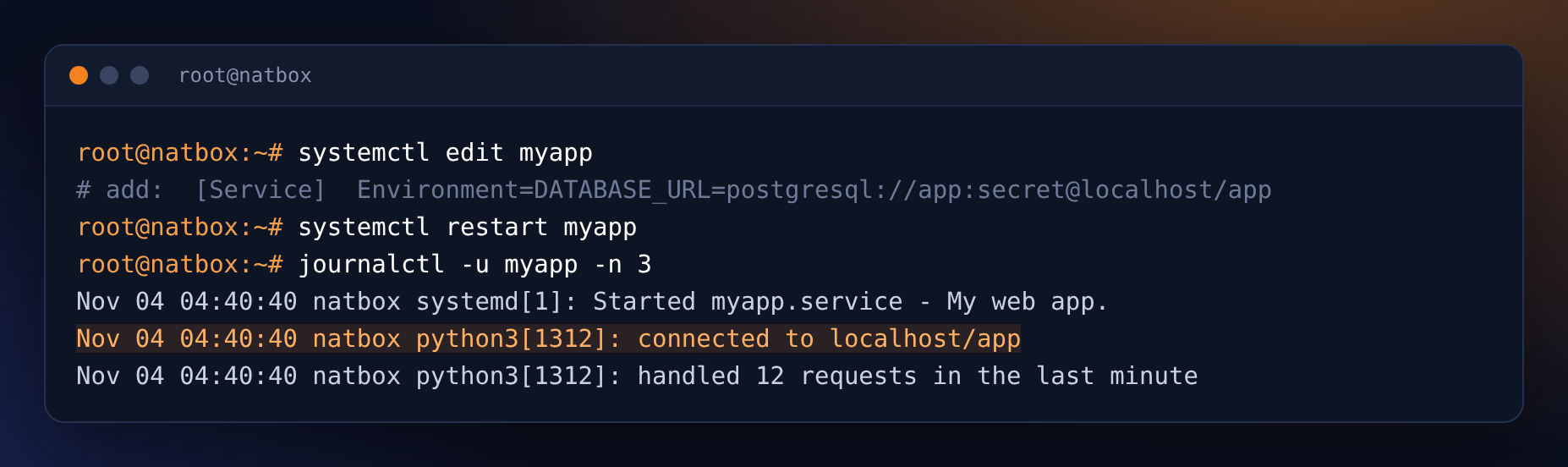
It runs. For real passwords, use EnvironmentFile=/etc/myapp.env with chmod 600 on that file, as in the Discord bot guide.
Useful filters
journalctl -u myapp -f: follow live, liketail -f. Ctrl+C to stop.journalctl -u myapp --since "1 hour ago"or--since today: a time window.journalctl -p err -b: only errors, since the last boot.journalctl -b -1: the previous boot, to see what happened before a restart.journalctl --disk-usageand--vacuum-size=50M: see and limit how much space logs take.
Bonus: who is trying to log in?
The SSH log shows every failed login. Here are three attempts with made-up user names, which is exactly what password-guessing bots look like:
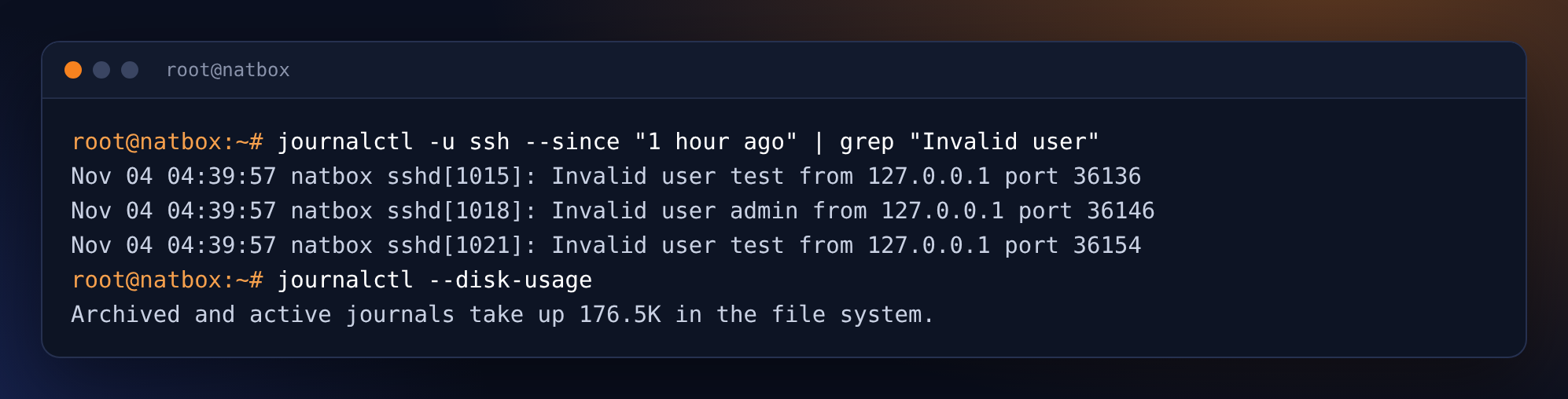
If you see many of these, use SSH keys and fail2ban: see SSH keys and fail2ban.
Get new tutorials in Telegram. Follow @natboxio: every new post, plus short server tips.
More from the blog: How fast is a new natbox server? We timed 108 real orders, Open a private admin page with an SSH tunnel, no open port needed, We load-tested our shared HTTPS proxy: 15,000 connections, zero drops. RSS feed.