 natbox
Blog / Restore drill
We tested our backups by restoring them. Here's how long it took
18 November 2026 · Update · By Mohammad AlSaraf

Every host promises backups. Far fewer test them, and a backup you have never restored is a hope, not a backup. So on 9 November 2026 we ran a restore drill: we restored real backups into scratch servers, timed every step and checked the data. Here is what natbox backs up, what it doesn't, and what the drill showed.
What we back up
- Every customer server, every night: a snapshot of its disk, kept for 7 days, plus a weekly one kept for 4 weeks. These sit on the same host as your server.
- Our own systems, every night: the billing system with all accounts and invoices, our website, our status page, and the configuration of our hosts. These are copied off-site too, encrypted before they leave our server, so the storage provider can't read them.
- Your own snapshots: you can take and restore snapshots yourself from the Snapshots tab in the client area.
The drill
1. A server from last night's snapshot
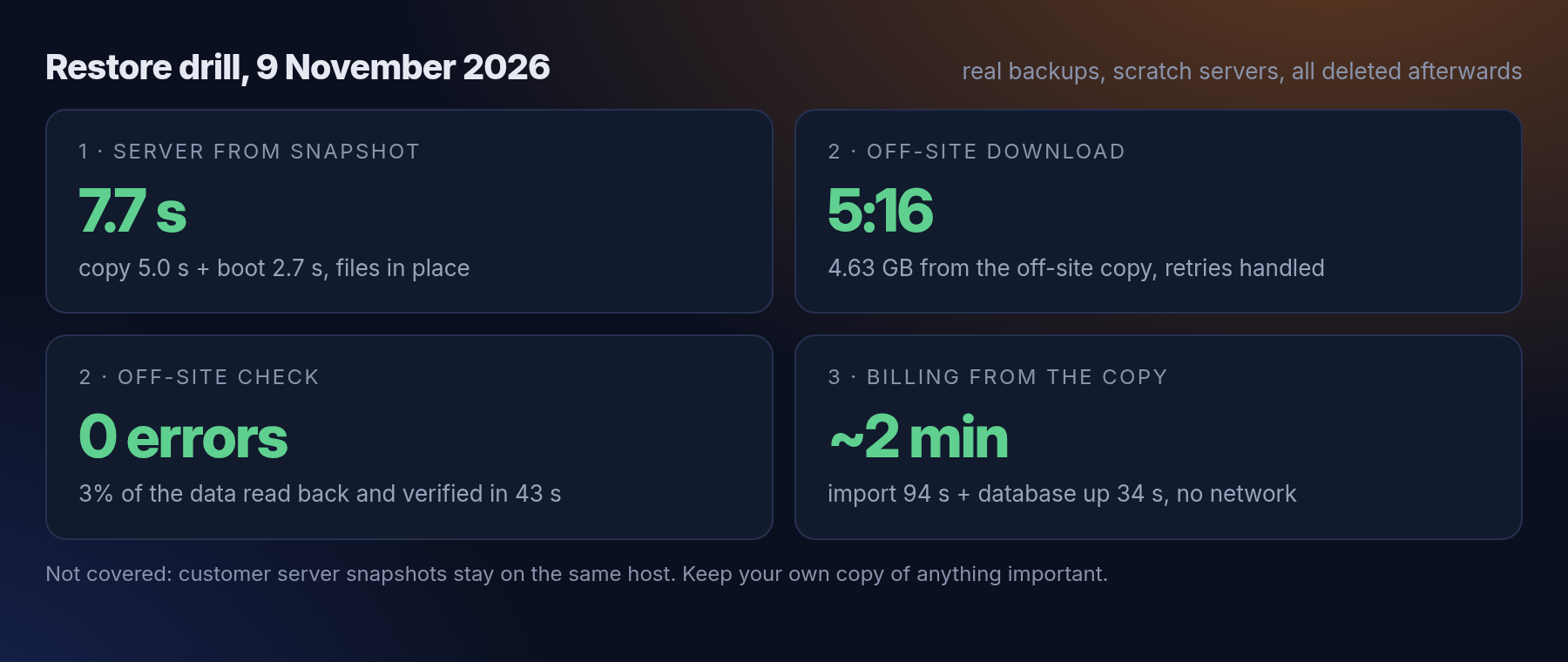
This is what happens if a server breaks and needs to go back to yesterday. We copied a server from its nightly snapshot into a new scratch server and started it: 5.0 seconds to copy, 2.7 seconds to boot, 7.7 seconds in total, with all its files in place.
2. Everything from the off-site copy
This is the disaster case: our main host is gone and we rebuild from the off-site copy. We downloaded the whole latest copy to a scratch folder: 4.63 GB in 5 minutes 16 seconds. The storage provider dropped the connection a few times along the way, and the backup tool simply retried each time. Inside were last night's configuration history, the billing database dump and the latest exports of our systems. We then read back and verified a random 3% of the off-site data, which took 43 seconds and found no errors.
3. The billing system from that copy
From the downloaded copy we imported the billing system as a new, isolated server with no network at all, so it couldn't send anything to anyone. Importing took 94 seconds, and its database was running 34 seconds after start. Its accounts, services and invoices from the night before were all in place.
Afterwards we deleted every scratch server and the downloaded copy.
What isn't covered, honestly
The nightly snapshots of customer servers live on the same host as the servers. They protect against mistakes, such as a broken update or a deleted file, but not against losing the host itself. The off-site copy covers our own systems, not the contents of customer servers.
So for anything important on your server, keep a copy somewhere else as well. Our guide on backing up your server shows a few simple ways. We're looking at off-site copies for customer servers too, and will write about it when we have something to show.
What's next
We'll repeat this drill every three months and publish the results. Next time we also want to time rebuilding a whole host from scratch, not just its parts.
Get new tutorials in Telegram. Follow @natboxio: every new post, plus short server tips.
More from the blog: How fast is natbox from your country? We measured from 27 cities, How much do natbox servers really use?, Keeping natbox clean: our first abuse and fraud report. RSS feed.