 natbox
Blog / Disk space
Disk full? Find what is filling your server, and clean it up safely
7 November 2026 · Tutorial · By Mohammad AlSaraf

When a disk fills up, apps start failing in odd ways: databases stop writing, updates break halfway, and logins can get slow. Small servers fill up faster, so it pays to know where the space goes. Here is how to find out in a few minutes, and what is safe to delete.
About 10 minutes. Debian and Ubuntu commands; the checks work the same on AlmaLinux and Alpine.
1. How full is the disk?
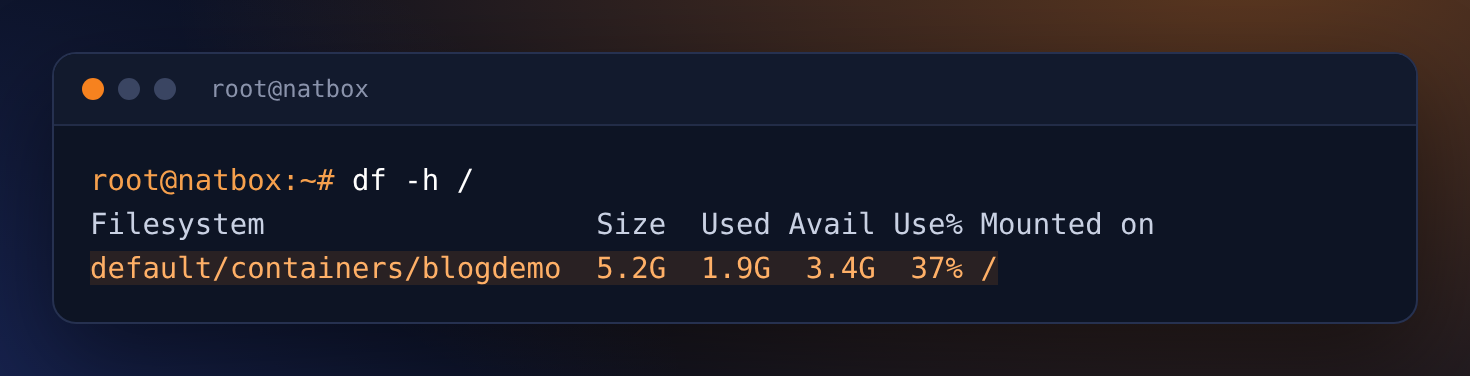
df -h / shows the size of your disk, how much is used and how much is left. On your server the first column shows your own server's name. The Graphs tab in the client area shows the same number. Above about 85% it is time to clean up.
2. Which folders are big?
du adds up folder sizes. Start at the top and work down into the biggest folder:
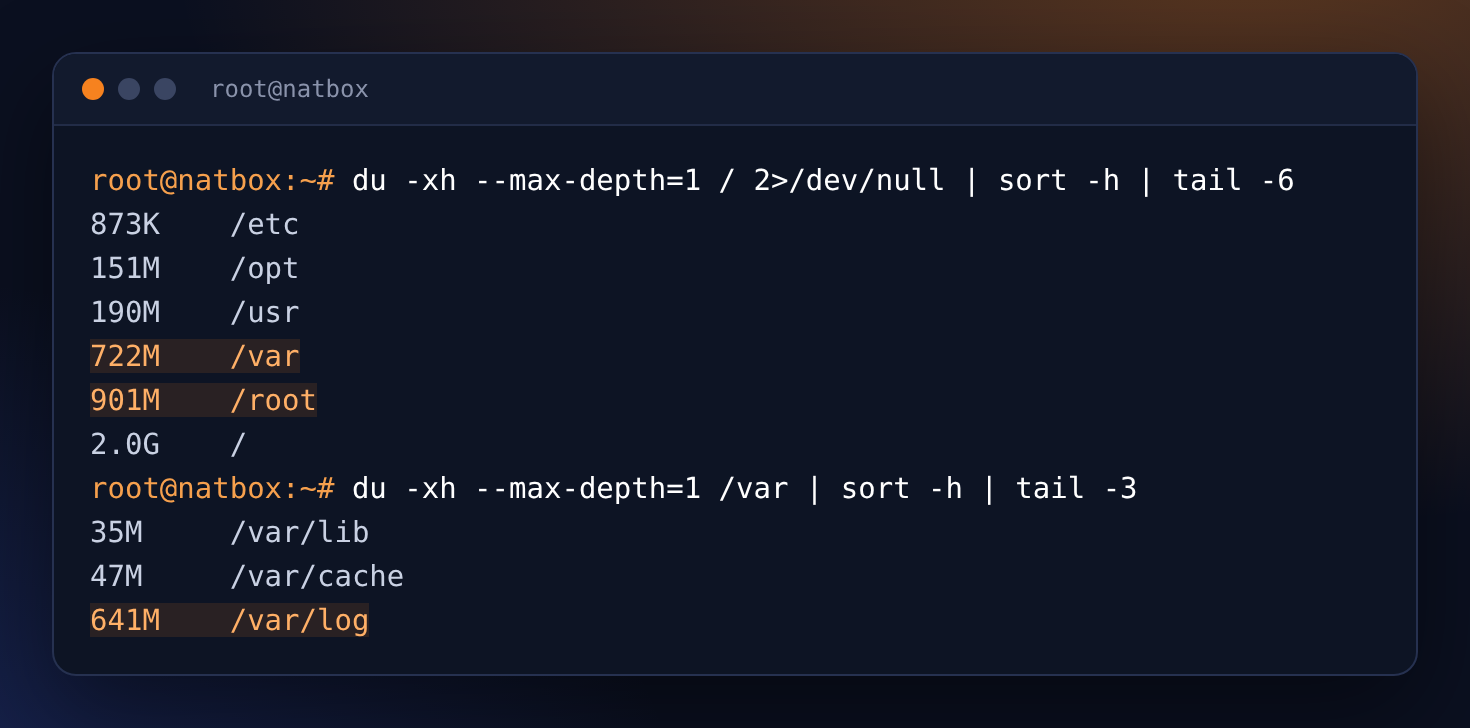
-x keeps du on your disk, and sort -h puts the biggest last.3. Or browse it with ncdu
ncdu does the same thing with a menu you can move around in with the arrow keys and Enter. Press d on a file to delete it (it asks first) and q to quit.
apt install -y ncdu
ncdu -x /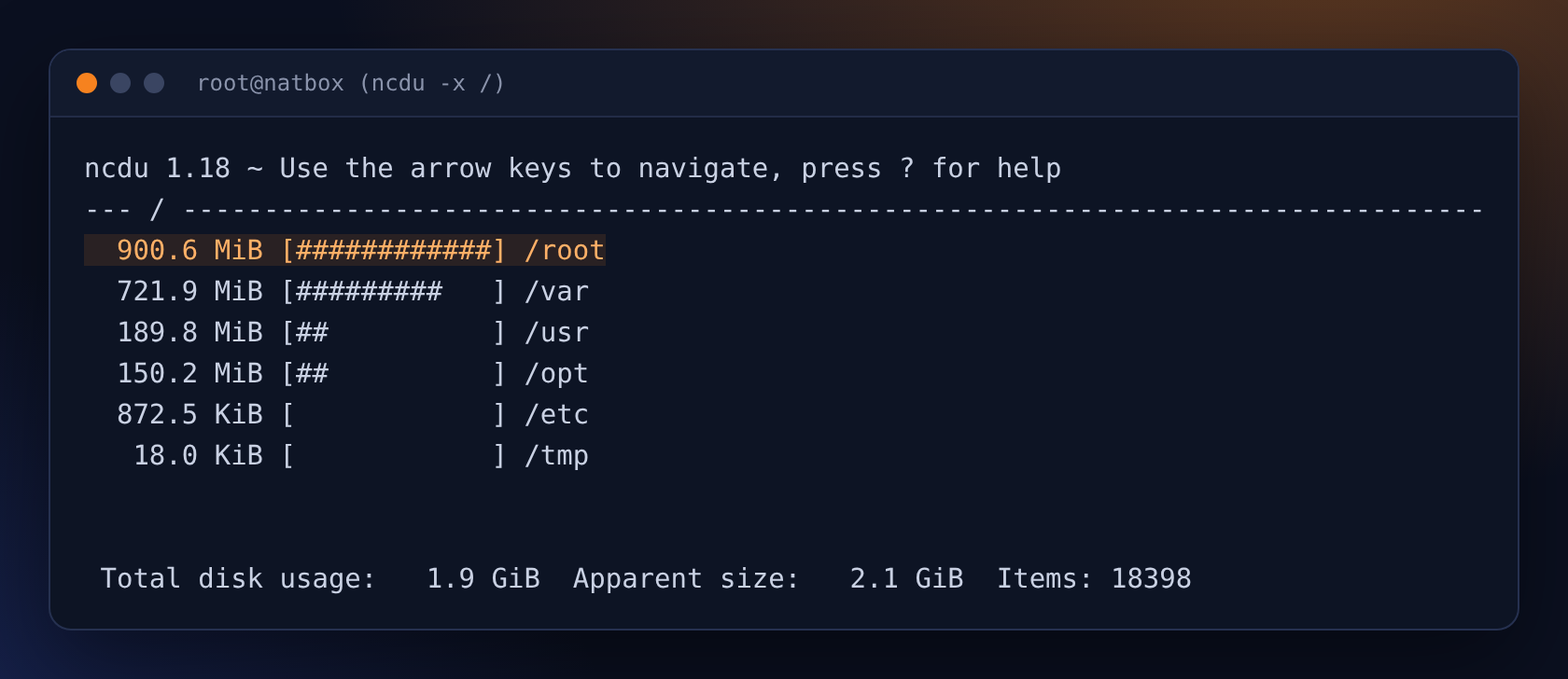
4. List the biggest files
Usually a few large files are to blame. This lists every file over 100 MB:
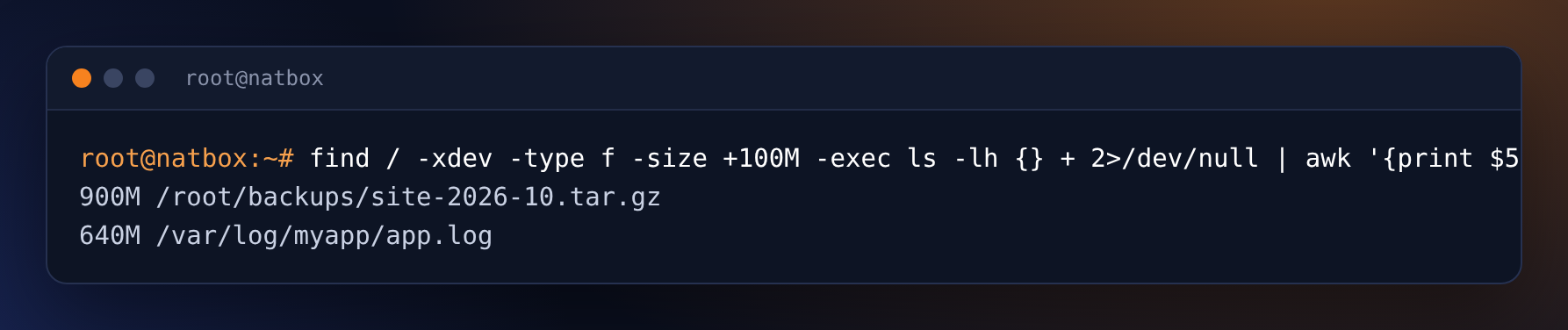
Here it is an old backup someone forgot about, and an app log that was never rotated.
5. Clean up safely
- Package cache:
apt-get cleanremoves downloaded package files. Always safe. - Old kernels and packages:
apt autoremoveremoves packages nothing needs any more. Read the list before you say yes. - The system journal:
journalctl --vacuum-size=50Mkeeps only the newest 50 MB of logs. Seejournalctl --disk-usagefirst. - A huge log file an app still writes to: empty it with
truncate -s 0 FILErather than deleting it. If you delete a file a running program has open, the space is only freed when that program restarts. - Old backups: copy them off the server first (see the backups guide), then delete them.
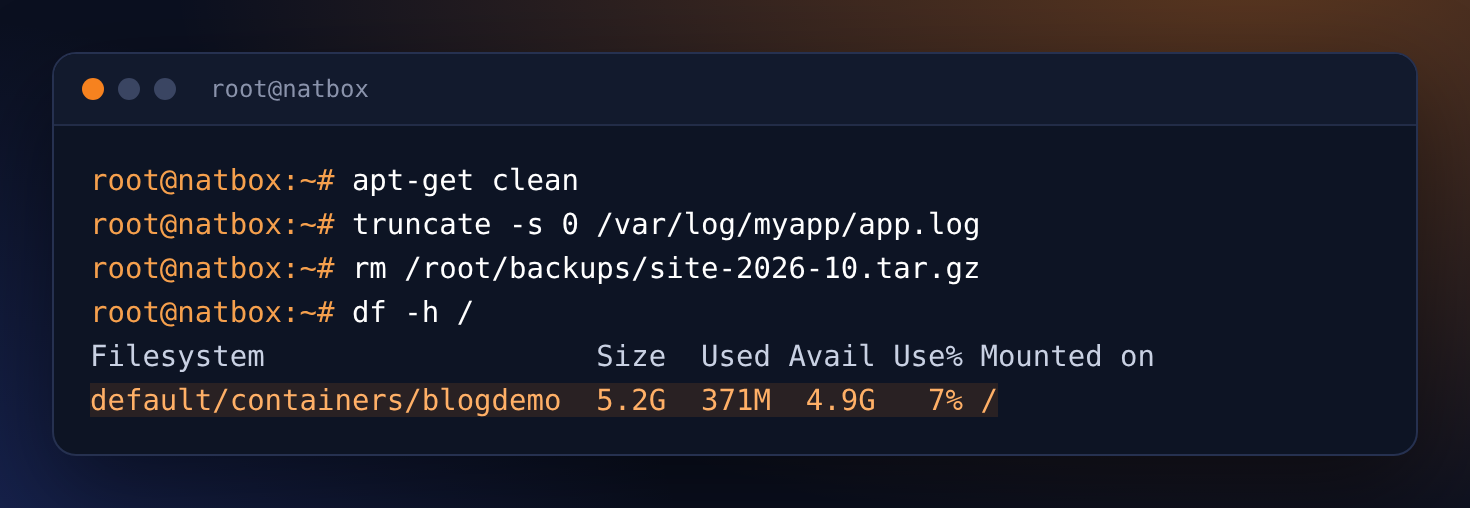
From 37% to 7% used.
Snapshots use disk space too
Snapshots you take in the client area's Snapshots tab are stored on your server's disk, so a snapshot keeps the files it saved, even after you delete them. If space is tight, delete snapshots you no longer need. More in the docs.
Stop it happening again
- Make your app logs rotate: add a file in
/etc/logrotate.d/, or log to the journal by running the app as a service (how). - Cap the journal for good: set
SystemMaxUse=100Min/etc/systemd/journald.conf, thensystemctl restart systemd-journald. - Keep backups off the server, not next to the data they protect.
Still short of space? You can move to a bigger plan from the client area at any time. See the plans.
Get new tutorials in Telegram. Follow @natboxio: every new post, plus short server tips.
More from the blog: Keep commands running after you disconnect, with tmux, What's new at natbox: Telegram bot, snapshots, keeping your trial and CaptchaBox, Welcome to the natbox blog, and our new video library. RSS feed.